
Wireless file transfer tool
Airdrop for Android Transfer is a file-sharing tool that enables direct device-to-device data transfers without physical cables. It supports the movement of files such as photos, videos, audio, documents, and installed applications through local wireless connections. It operates using hotspot-based transfer and QR code pairing, allowing devices to connect without relying on external networks.
Top Recommended Alternative

Airdrop for Android Transfer presents a single interface for sending and receiving content, displays detected devices during discovery, and manages transfers within the application environment. File selection is handled through built-in browsing access, while transfer sessions remain localized between connected devices rather than routed through cloud services.
Localized data exchange
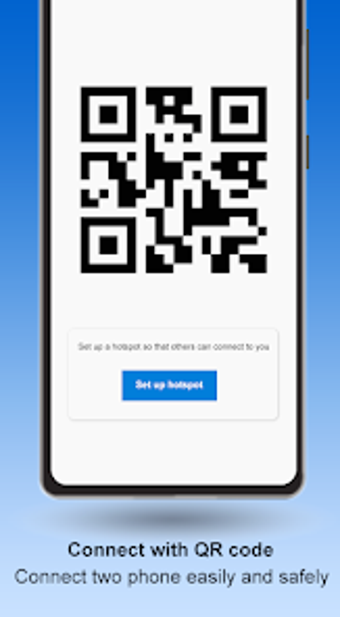
Airdrop for Android Transfer supports two primary connection systems for initiating file transfers. Hotspot sharing establishes a direct wireless connection by allowing one device to broadcast a local access point, while another device connects to it. QR code scanning provides an alternative pairing method by encoding connection details into a scannable visual code. Once a connection is established, transfers occur directly between devices.
The software groups content by file type and allows multiple items to be queued within a single transfer session. Supported categories include images, video files, audio tracks, compressed archives, and application installation files. During transfer operations, the system processes files sequentially within the active connection, maintaining the session until all selected items are transmitted or the link is interrupted.
The interface includes built-in advertising elements that are displayed between actions and navigation states. Device discovery relies on active wireless signals and can potentially be affected by environmental factors such as signal interference or temporary disconnections. The application does not incorporate background synchronization, cloud storage integration, or account-based pairing systems. All transfers remain limited to nearby devices participating in the same local connection session, with no persistent device memory once the session ends.
Scan and send
Airdrop for Android Transfer features local wireless file transfer capabilities, utilizing hotspot connections and QR-based pairing. It supports multiple file categories and handles transfers directly between participating devices without external routing. The software maintains all activity within temporary sessions and does not store transfer history beyond the active process. It also lacks cloud features or remote sharing tools. Advertising elements are embedded throughout the interface, and device discovery depends on consistent wireless detection.
.png)